Software for staffing agencies generally falls into two connected categories. An applicant tracking system, or ATS, helps recruiters manage candidates, job orders, client relationships, and placements. A back-office platform manages what happens after a worker accepts an assignment, including onboarding, time capture, payroll, billing, compliance, collections, and reporting. Some products cover parts of both categories, but staffing firm owners still need to confirm who performs each operational task. The right setup connects recruiting activity to a reliable back office without forcing the owner to re-enter data or manage avoidable risk.
Talk to USA Staffing Services about back-office support for your staffing firm.
Choosing an ATS is only one part of building a staffing operation. A firm can fill every order in its pipeline and still struggle if approved hours do not become accurate paychecks and invoices. This guide explains how the systems differ, where they connect, and how to choose a stack that supports growth.
Software for staffing agencies: ATS versus back-office platform
The simplest way to compare staffing technology is to follow the worker’s journey. Front-office recruiting software helps your team find people, match them to open roles, and move them through a placement process. Back-office systems take over when work begins and money starts moving.
Different jobs, shared data
An ATS is the daily workspace for recruiters and sales teams. It stores candidate records, client contacts, job orders, notes, messages, submissions, and placement details. It answers questions such as who is available, which client needs help, and where a candidate sits in the process.
A back-office platform serves operations, payroll, finance, and leadership. It tracks worker onboarding, approved hours, pay rates, bill rates, tax and insurance details, invoices, collections, and gross margin. It answers a different set of questions: Was the worker paid correctly? Was the client billed correctly? Is the assignment compliant and profitable?
ATS and back-office comparison
| Area | ATS or recruiting platform | Back-office platform |
|---|---|---|
| Primary purpose | Win orders and make placements | Run assignments and manage cash flow |
| Primary users | Recruiters and sales teams | Operations, payroll, finance, and owners |
| Core records | Candidates, clients, jobs, submissions | Workers, hours, pay, invoices, compliance |
| Key output | A confirmed placement | An accurate paycheck, invoice, and report |
| Main risk | Lost candidates or slow fills | Payroll errors, billing delays, and compliance gaps |
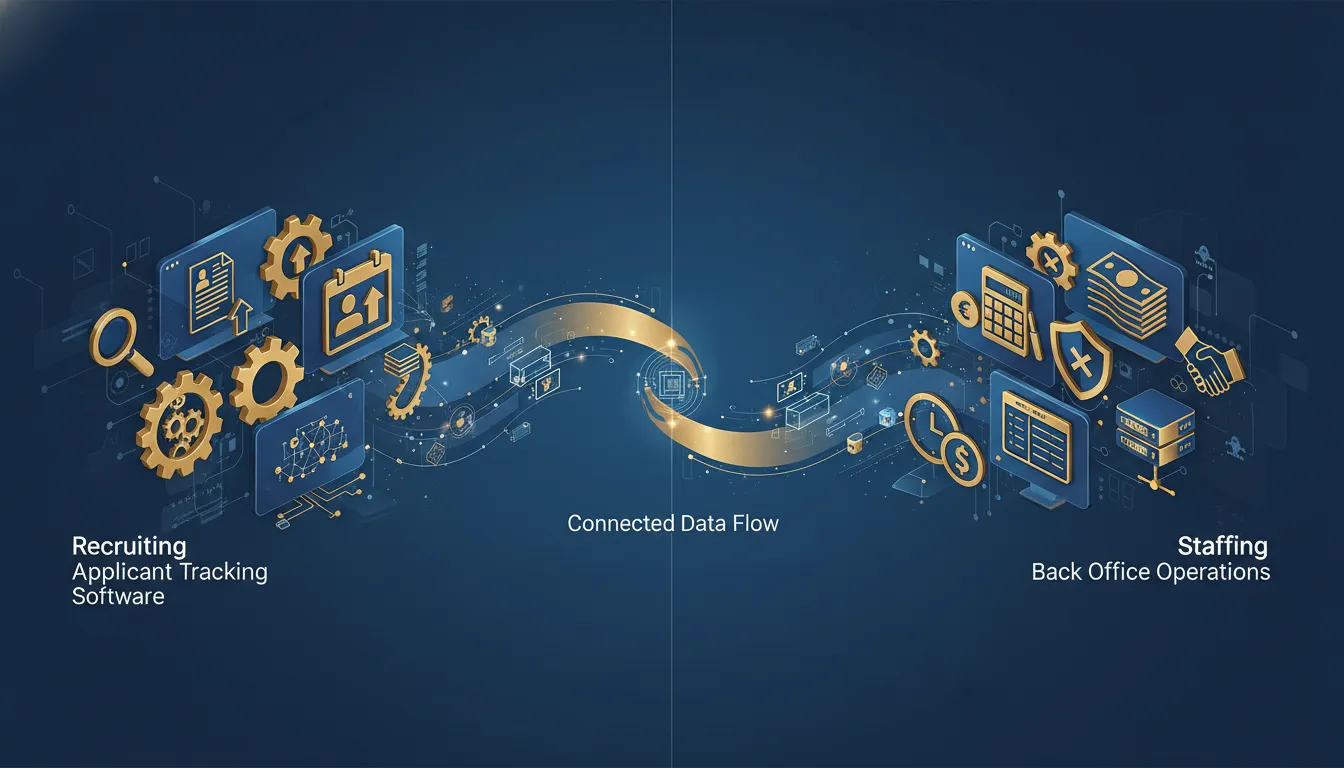
Neither category replaces the other. A strong ATS cannot fund payroll by itself. A strong back office cannot build candidate relationships or fill a new order. The goal is a connected operating model with clear ownership on both sides.
What does an ATS actually manage?
An ATS brings order to recruiting work that would otherwise live in spreadsheets, inboxes, and individual memory. For an agency, that usually means one searchable place for people, jobs, clients, and activity.
Candidate and job pipelines
Recruiters use an ATS to collect resumes, record skills, review applications, and search for candidates. They can move candidates through defined stages such as screened, submitted, interviewed, offered, and placed. This gives managers a clearer view of recruiter activity and pending opportunities.
Job-order tools connect each opening to the client, requirements, pay details, and candidate submissions. Many systems also support email, text messaging, interview scheduling, job-board posting, and reminders. These features reduce manual follow-up and help recruiters respond faster.
Client relationship management
Many staffing ATS products include customer relationship management features. Sales teams can track prospects, client contacts, calls, meetings, open orders, and account notes. The combined record helps recruiters and salespeople work from the same information.
This front-office visibility matters, but it often ends at placement. A record marked placed does not confirm that employment forms are complete, time was approved, payroll was funded, or the invoice was collected. Owners should treat placement as the handoff point, not the finish line.
Where an ATS usually stops
Some ATS products include payroll or billing modules, while others connect to separate tools. Product labels can be misleading, so owners should test the complete workflow rather than assume that an all-in-one claim covers every need.
Ask who handles tax setup, workers’ compensation, payroll exceptions, invoice disputes, and collections. Software can record these tasks, but a person or service partner must still own them. That difference becomes important as temporary headcount grows. A deeper review of staffing agency software for independent firms can help owners build a practical shortlist.
Why temp staffing needs a back-office operating system
Direct-hire recruiting ends with a fee after a successful placement. Temporary staffing creates a continuing employment and financial cycle. Every workweek produces hours to approve, wages to pay, invoices to send, and records to maintain.
Work begins before the client pays
A staffing firm must usually pay temporary workers on schedule even when a client invoice remains open. This timing gap creates a working-capital need. More placements can increase the amount of cash required before they increase cash in the bank. Owners can compare options in this guide to payroll funding for staffing companies.
A back-office system must turn approved time into accurate payroll and accurate billing. It also needs to preserve the agreed pay rate, bill rate, overtime rules, assignment details, and client terms. Errors at this stage affect workers, clients, margin, and trust.
Employment and compliance duties
Temporary workers need a complete onboarding process before an assignment begins. The process can include identity and work authorization records, tax forms, direct-deposit details, required policies, and assignment-specific documents. Records need to be accessible, complete, and tied to the right worker.
Employer responsibilities continue after onboarding. Payroll taxes, wage rules, workers’ compensation, unemployment matters, and employee issues require ongoing attention. Software helps organize data and workflows, but knowledgeable people must review exceptions and act when something changes. Review the staffing agency compliance guide to understand the operational controls that support these responsibilities.
Invoices, collections, and reporting
Billing starts with approved hours and the client’s agreed terms. A useful back office creates invoices promptly, tracks outstanding balances, and shows which accounts need follow-up. Delayed invoices and weak collections can put extra pressure on payroll funding.
Owners also need reporting that connects revenue to direct labor and other assignment costs. High sales do not always mean healthy margin. A reliable operating system gives leaders enough detail to see which clients, assignments, and service lines support the business.
Where do payroll, billing, and compliance connect?
These functions are not separate administrative chores. They are linked steps in one operating cycle. A problem early in the cycle can create multiple problems later, so the handoffs need to be designed and tested.
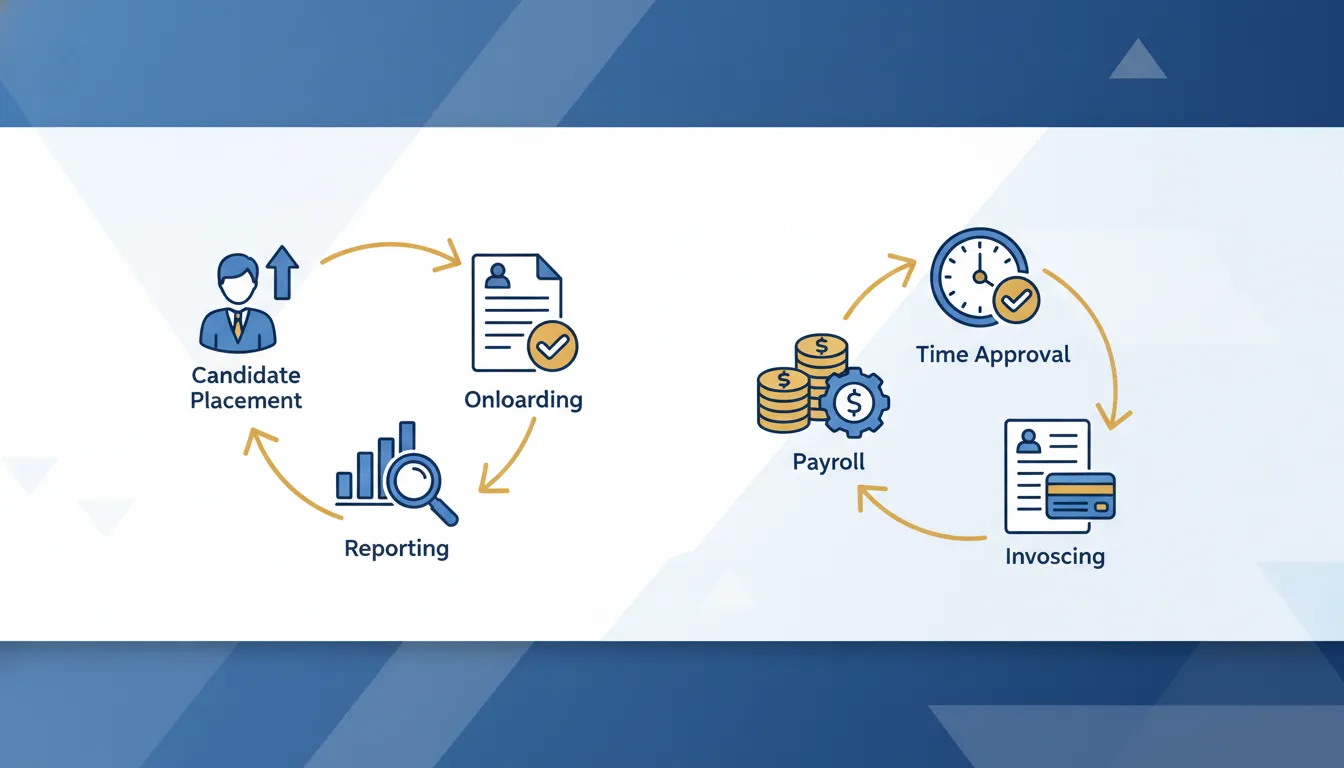
The weekly assignment cycle
- Confirm the assignment. Record the worker, client, location, start date, pay rate, bill rate, job details, and approval rules.
- Complete onboarding. Collect required worker and assignment records before work begins.
- Capture and approve time. Match submitted hours to the correct worker, assignment, and client approver.
- Process payroll. Apply the right rates, deductions, taxes, and exception reviews before issuing pay.
- Create the invoice. Use the same approved hours and agreed bill terms to bill the client.
- Track payment and margin. Follow outstanding invoices and compare revenue with assignment costs.
One change can affect every step
Consider a pay-rate change that reaches payroll but not billing. The worker may be paid correctly while the client is billed at the old rate, which reduces margin. If the change reaches billing but not payroll, the result creates a different and more serious problem.
Disconnected spreadsheets make these mismatches easier to miss. They also make it harder to identify the source of an error. Connected systems should carry approved data forward while preserving a clear record of who changed what and when.
Exceptions reveal system quality
A normal week is not the best test of staffing software. Ask how the workflow handles late timecards, disputed hours, retroactive rate changes, holiday pay, overtime, missing forms, or an invoice adjustment. Those moments reveal whether the system and support process can protect the business.
How should you evaluate software integrations?
An integration is valuable only when it improves the real workflow. A vendor may say two products connect, but that connection might send only a few fields in one direction. Owners should verify the exact data, timing, and exception process before signing.
Map the source of truth
Start by deciding which system owns each important record. The ATS may own candidate and placement data, while the back office owns approved hours, payroll, invoices, and collections. Clear ownership prevents teams from editing the same field in several places.
List the data that must cross the handoff. Common fields include worker name, contact information, client, assignment, start date, pay rate, bill rate, location, and manager. Confirm whether updates transfer automatically and how quickly they appear.
Test the full workflow
Do not limit a demo to polished dashboards. Use a sample placement and follow it from job order through onboarding, time approval, payroll, invoice creation, and reporting. Then introduce an exception, such as a changed rate or rejected timecard.
During the test, count every manual entry and spreadsheet export. Ask what happens when an integration fails and who receives the alert. Also review permissions, audit history, data exports, support hours, and the process for correcting an error.
Measure the operating result
The best stack is not always the product with the longest feature list. It is the setup that helps your team fill orders while producing accurate pay, prompt invoices, useful reports, and manageable risk. Evaluate the people and processes around the tools as carefully as the tools themselves.
Which staffing software stack fits your agency?
The right software for staffing agencies depends on the business model, assignment volume, internal team, client requirements, and growth plan. A direct-hire firm and a temporary staffing firm may use similar recruiting tools but need very different operations after placement.
ATS only
An ATS-only stack can fit a direct-hire recruiting firm that does not employ temporary workers. The team still needs sound accounting and client management, but it does not run a weekly temp payroll and billing cycle for an active workforce.
This model is usually not enough for a temp staffing firm. Even at low volume, the firm needs a defined way to handle onboarding, time, payroll, billing, insurance, compliance, and collections. The first-placement back-office checklist shows the controls needed before an assignment starts.
ATS plus an internal back office
Some firms own and operate their full technology stack. They license recruiting, payroll, billing, accounting, and reporting tools, then hire staff to run them. This approach gives the owner direct control, but it also creates fixed costs and management duties.
Before choosing this route, estimate more than software subscription fees. Include payroll staff, finance work, employment support, insurance, compliance expertise, integration upkeep, training, and working capital. The firm also needs backup coverage when a key employee is unavailable.
ATS plus a back-office partner
A back-office partner combines operational systems with people who run the workflows. This model can help an independent staffing owner focus on client relationships, sales, and recruiting while the partner handles defined post-placement responsibilities. Learn how back-office services for staffing agencies bring those functions together.
Review the partner with the same care used for software. Confirm scope, service levels, reporting, handoffs, fees, funding terms, ownership of data, and the escalation process. The best fit provides clear roles and enough visibility for the owner to stay in control.
How a back-office partner changes the equation
A platform can automate steps, but it cannot remove every judgment call. Temporary staffing creates exceptions that require a timely response. A back-office partner adds an operating team around the technology, which changes what the agency owner must build and manage internally.
Infrastructure without building every function
USA Staffing Services is a B2B back-office partner for independent staffing and recruiting firm owners. It supports functions such as employer-of-record services for staffing agencies, temporary-worker HR, payroll and payroll financing, invoice collections, insurance, strategy, and brand infrastructure. USA Staffing Services does not place workers itself.
That distinction matters. The agency owner remains focused on finding clients, winning orders, recruiting talent, and growing relationships. The back-office partner supports the operational work required to put temporary workers on assignment and keep the cycle moving.
Questions to ask a potential partner
- Which tasks does the partner own, and which remain with the agency?
- How do placements move from the ATS into onboarding and payroll?
- Who handles worker questions, payroll exceptions, and client billing issues?
- What reports can the owner access, and how often are they updated?
- How are invoices funded, collected, and reconciled?
- What happens when the agency enters a new state or client segment?
The operating model should be easy to explain before the first assignment begins. Clear ownership reduces duplicated work and helps the agency respond faster when an exception occurs.
Choose the model, then choose the tools
Start with the work your agency plans to perform and the responsibilities you want to own. Then choose software and partners that support that model. Reversing the order can leave a firm with impressive tools but no reliable process for payroll, billing, compliance, and reporting. If partnership is part of the plan, compare what to expect from a staffing back-office partner.
Discuss your staffing agency’s software and back-office needs with USA Staffing Services.
Frequently asked questions about software for staffing agencies
What is the difference between an ATS and staffing software?
An ATS focuses on recruiting workflows such as candidates, jobs, submissions, interviews, and placements. Staffing software is a broader term that may also include onboarding, scheduling, time capture, payroll, billing, and reporting. Always review the actual features and service scope.
Can one system manage recruiting, payroll, and billing?
Some products include front-office and back-office modules. Even then, the agency must confirm how data moves, who reviews exceptions, and who performs each operational task. A single product does not automatically create a complete operating process.
Does a staffing agency need payroll funding?
Temporary staffing firms often pay workers before clients pay invoices, which creates a cash-flow gap. Whether outside funding is needed depends on available capital, payroll size, client payment terms, and growth rate. Owners should model the timing before adding a large account.
What should a small staffing agency prioritize?
Prioritize a clear end-to-end workflow over a long feature list. The agency needs a reliable way to manage candidates and orders, then onboard workers, approve time, run payroll, create invoices, collect payment, and review margin. Each task needs a clear owner.
When should an agency consider a back-office partner?
An agency may consider a partner when it wants to focus on sales and recruiting instead of building payroll, finance, HR, insurance, and compliance functions internally. The decision should reflect service scope, cost, control, visibility, and the owner’s growth plan.
Build the operating model behind every placement
The right ATS can help your team win orders and place talent. The right back-office model makes those placements sustainable. Talk to USA Staffing Services about the operational support behind your recruiting growth, including payroll, billing, collections, temporary-worker HR, and employer-of-record needs.

Written By
David Ellison
Staffing Operations & Risk Management Specialist
David Ellison is a detail-oriented Staffing Professional specializing in risk management, operations, and back-office support. At USA Staffing Services, he empowers staffing firms by managing payroll, workers' compensation, and HR compliance, enabling them to focus on talent acquisition and business growth.